
improved
Returns
All Plans
Now live: Pre-filled Manual Return Form
Based on your feedback and in order to further improve the manual return process, we now made it possible to create a return
based on the outgoing shipment!
This means: The shipment details are already pre-filled, which greatly speeds up the process. Furthermore, you are also able to fill in the return reasons for items.
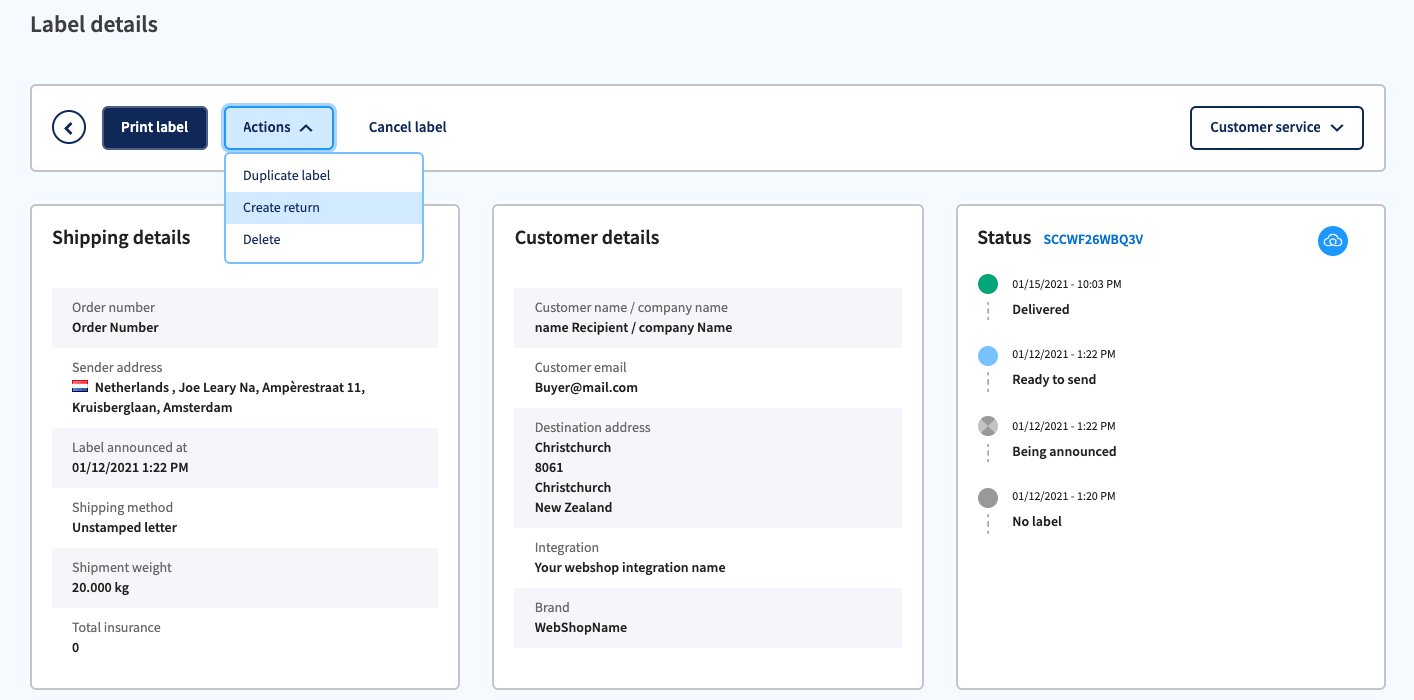
How it works:
- Click on the eye icon next to an outgoing shipment 👁️
- Click on Actionsnext to Print label
- Select Create Return. You will be brought to the Manual Return Form for outgoing shipments.
Questions? Check this article in our Help Center.